
How to deliver Platinum in Diablo Immortal
Platinum moves between players through the in-game Marketplace. Here's how to craft the pet, list it, and capture the screenshot we need to buy it.
Diablo Immortal has no button to hand Platinum from one player to another. Every transfer happens through the in-game Marketplace: you list a high-value item, our buyer purchases it, and the Platinum lands in your account.
The item the community uses for this is a crafted “Platinum pet” — a familiar converted up to its maximum sell value. This guide walks you through making one, listing it, and capturing the screenshot we use to buy exactly the right listing.
Make your listing before you check out: at the “Marketplace listings” step you'll upload a screenshot of it, and the declared Platinum has to match your order total.
- 1
Step 1
Find a cheap base pet (2+ legendary skills)
Open the Marketplace and apply a filter for familiars with 2 or more legendary skills.
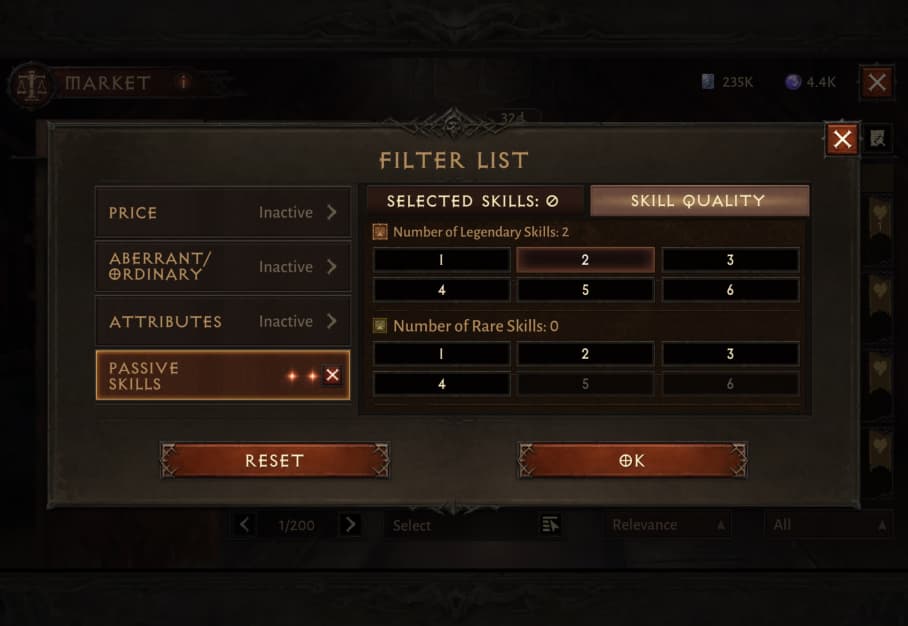
Set the filter like this. You're looking for something like this Broodtalon.
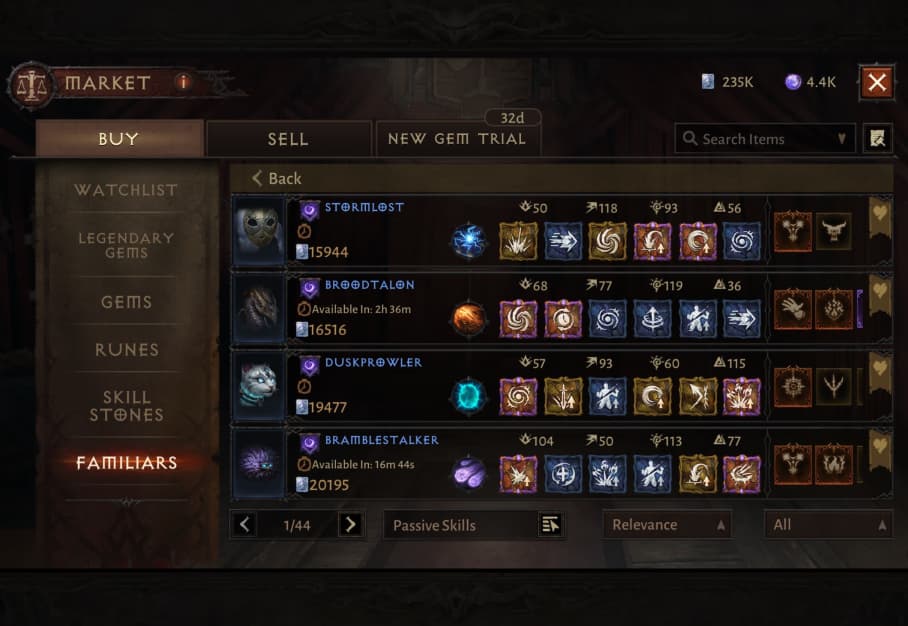
A Broodtalon with the right skill mix. - 2 legendary skills + 4 magic (blue), or
- 3 legendary skills + 3 magic (blue) — both work.
A 2-legendary base finishes at 640,000 Platinum. A 3-legendary base finishes at 1,280,000 Platinum.
- 2
Step 2
Buy two cheap Aberrant Skitters to convert with
Pick up two Aberrant Skitters — usually an easy grab at 2,000–4,000 Platinum each. Their skills don't matter at all.
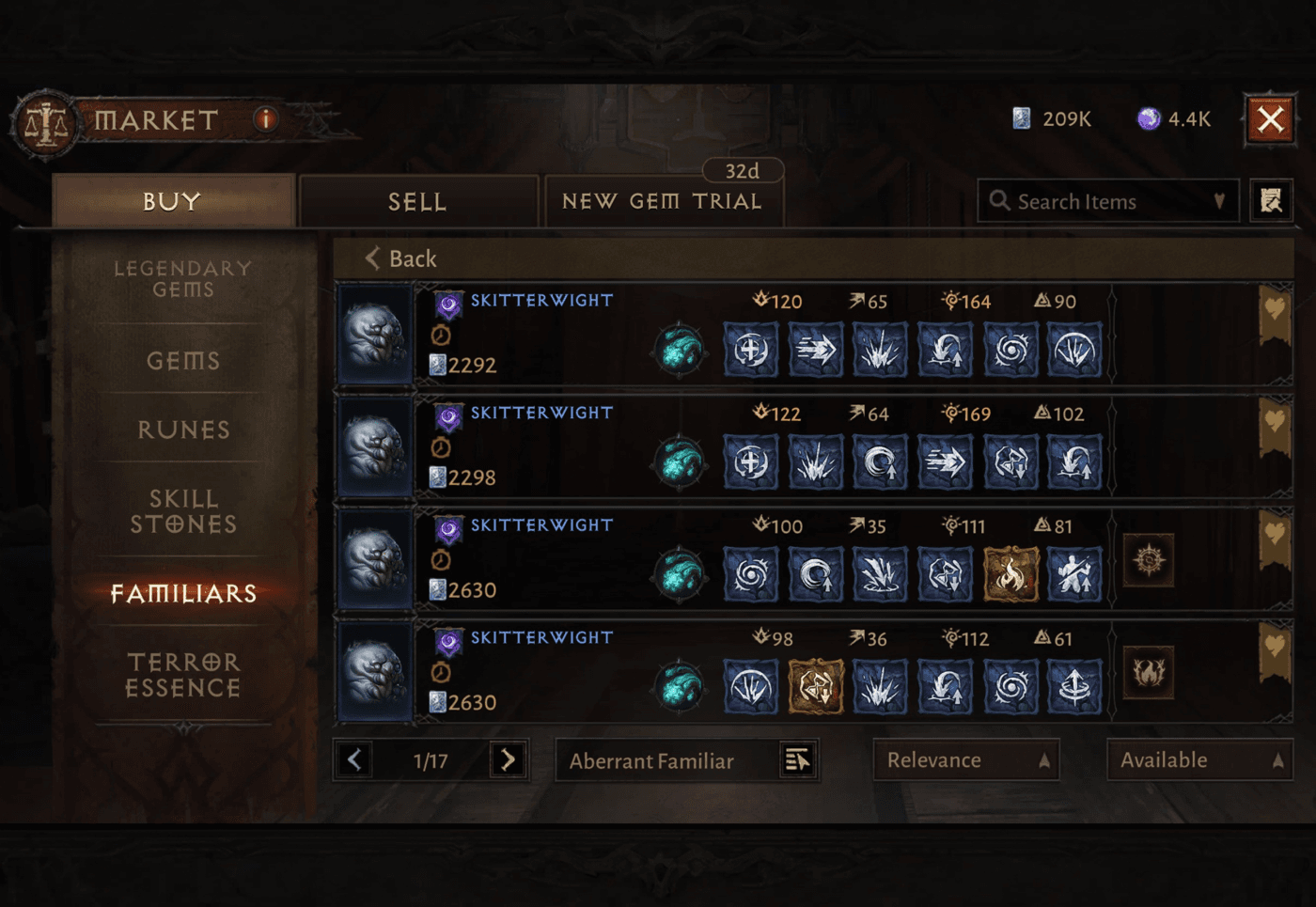
Any two Aberrant Skitters will do. - 3
Step 3
Convert your base with the two Aberrant Skitters
Open the conversion screen and place your base pet first, then the two Aberrant Skitters after it. Your preview should look like this.
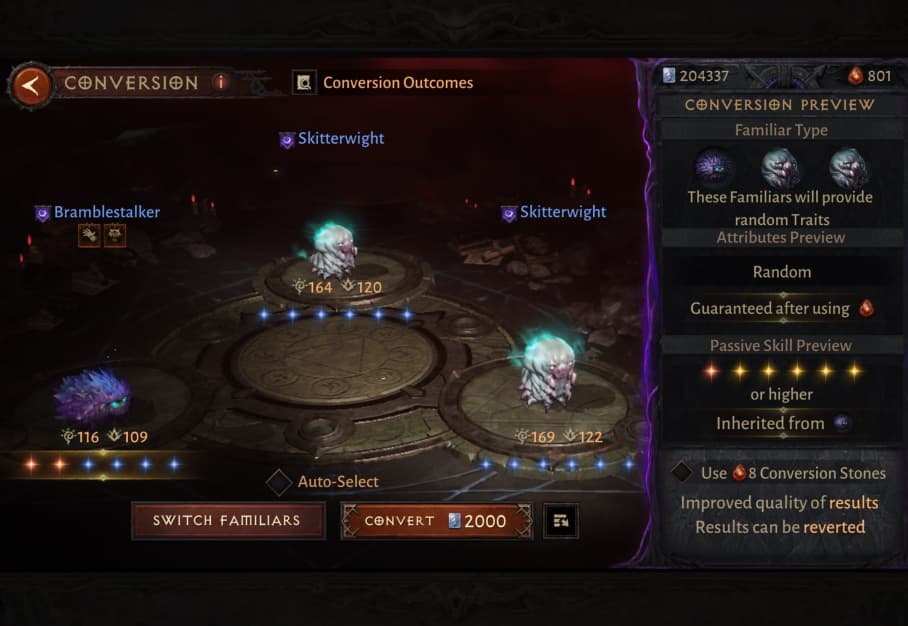
Base pet first, two Aberrant Skitters after. Your preview should show 1 legendary skill and 5 rare (yellow) skills.
Do NOT use conversion stones on this conversion.
- 4
Step 4
Check your Platinum pet
If everything goes well, you now have a Platinum pet. Two things can happen instead:
- Upgrade — the conversion “improves” your base familiar (it may add several yellow skills, or add a legendary). Look it over and decide whether it still works.
- Wrong species — the species you land on doesn't sell for max price. Buy a few more Aberrant Skitters and convert again with conversion stones (a 66% chance to change species) until you reach Skitter — then you're good.
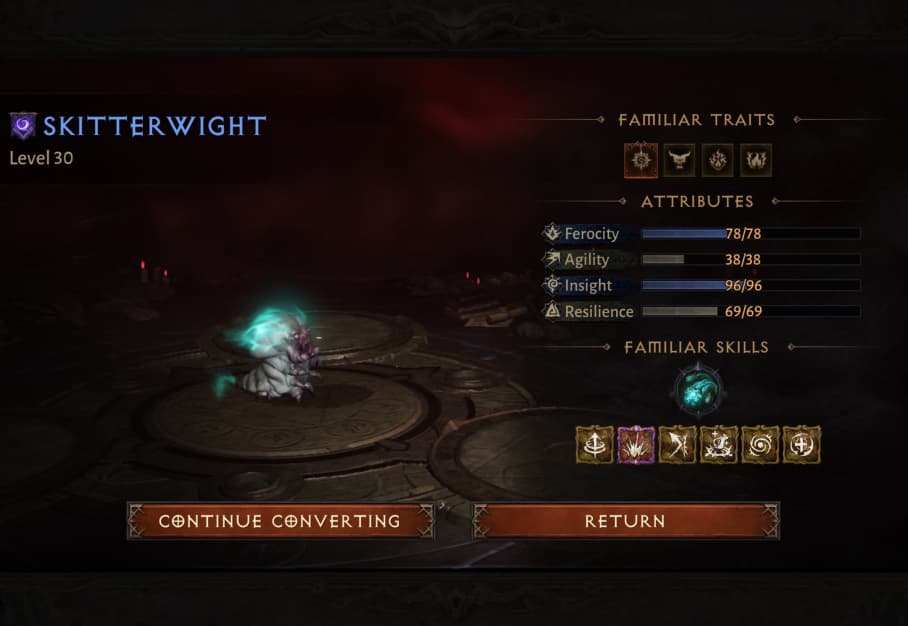
An “upgrade” result — check whether it still sells at max price. Only use conversion stones for the species change in this step — never on the Step 3 conversion.
- 5
Step 5
List it, then capture the screenshot we need
List your pet at max price. Then switch to the buyer side of the Marketplace and find your own listing — it has a small person icon next to it.
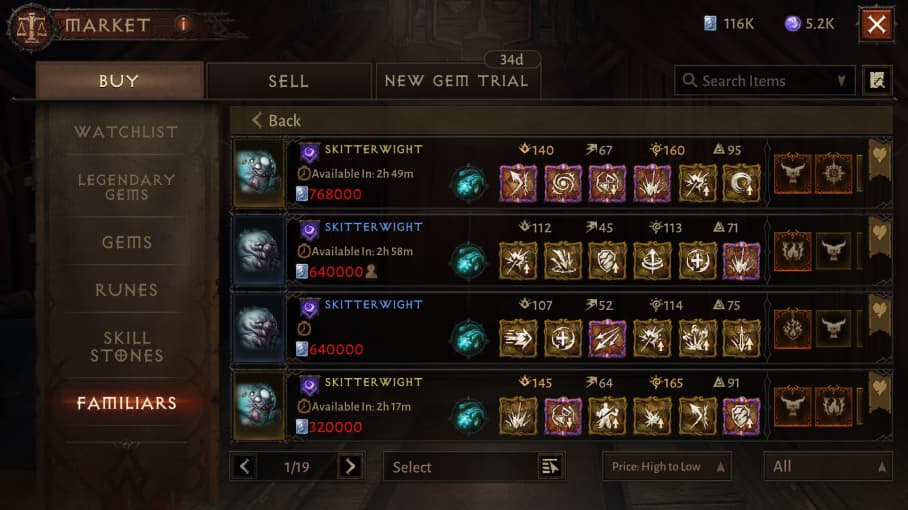
The second Skitter here has the person icon — that's your own listing. Screenshot that listing. It's exactly what our buyer needs to find and purchase the right listing for you — and it's what you upload at the “Marketplace listings” step of checkout.
Once your screenshot is uploaded and your order is paid, our buyer purchases that exact listing and the Platinum (less the Marketplace's standard tax) lands in your account — usually within minutes during business hours.